Best Ways to Clean a Laptop With Compressed Air
Best options for safely removing dust from laptops include handable canned air dusters and rechargeable electric air blowers. This guide focuses on products well suited for laptop keyboards, vents, and internal fans, helping readers pick the right tool for their needs. The top picks below are categorized by ease of use, safety, and effectiveness for typical buyers—students, professionals, and DIY enthusiasts. A quick summary table follows to compare key points at a glance.
| Product | Best For | Type | |
|---|---|---|---|
| Staples Compressed Air Duster | Beginner users, minimal maintenance | Canned air | Check packaging for valve safety |
| Compressed Air Duster-3 Gear (FRESMOL) | All-around cleaning, more control | Electric cordless | Regular recharging needed |
| Falcon Dust-Off Disposable Duster | Tight spaces, keyboards | Canned air with straw | Contains bitterant for safety |
| Innovera IVR10012 | Two-pack value, general dusting | Canned air (2-pack) | Avoid overuse on delicate components |
| WOLFBOX MF60/MF70 | Heavy dirt, long sessions | Electric cordless | Requires charging time |
Staples Compressed Air Duster
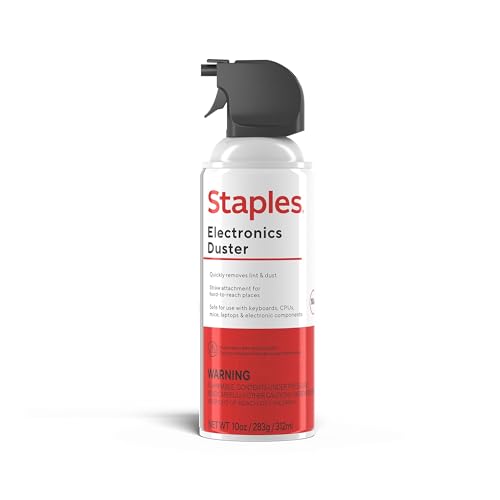
Best for: beginners seeking a straightforward, ready-to-use option for keyboards and laptops. The Staples can is widely available and simple to operate, ideal for quick desktop dusting and crumb removal around laptop vents. It contains liquefied gas, making it effective for general debris elimination. Be mindful of safety data and activation when handling in shared spaces.
Limitations: Packaging may vary; users should read the SDS and use in well-ventilated areas. This option is not rechargeable and requires ongoing purchase of cans.
Compressed Air Duster-3 Gear (FRESMOL)

Best for: users who want a reusable option and adjustable power. The 3-gear speeds let you select gentler airflow for delicate electronics and stronger power for tough debris around keyboards and fans. The LED display helps monitor speed and battery life to prevent unexpected shutdowns during cleaning.
Limitations: This product is a cordless blower and requires regular charging. It replaces cans but introduces battery maintenance and potential longer setup compared to single-use cans.
Falcon DPSM Dust-Off Disposable Duster

Best for: users who need targeted cleaning in tight spaces such as keyboard crevices and laptop vents. The Falcon includes a precision straw to reach narrow gaps and vents, improving effectiveness on laptops with dense keyboards.
Limitation: Contains a bitterant to discourage inhaling; ensure use in a ventilated area and away from children and pets.
Innovera IVR10012 10 oz. Duster (2/Pack)
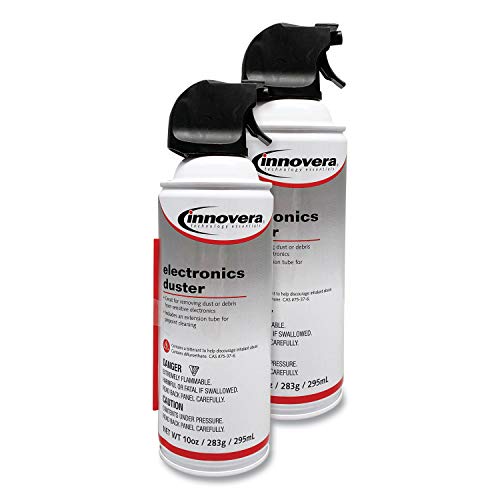
Best for: value-minded buyers who want a 2-pack, convenient for regular laptop maintenance and a spare can. This option is moisture-free and generally safe for most equipment when used as directed.
Limitation: Like other canned-air products, pressure and nozzle control matter; avoid tilting the can too much to prevent liquid propellant discharge.
WOLFBOX MF60/MF70 Electric Duster
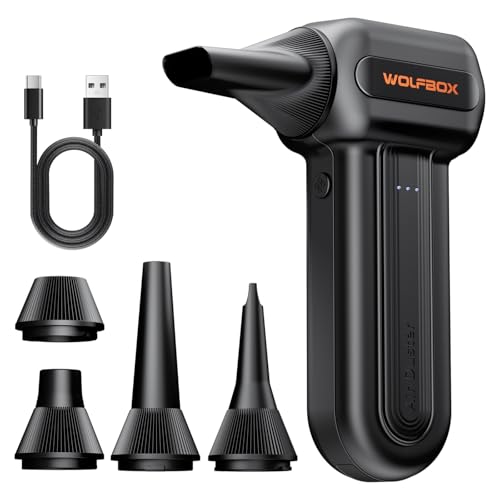
Best for: tech enthusiasts who want high-powered airflow for longer cleaning sessions—great for PC cases, fans, radiators, and laptops. Three speeds and two batteries enable longer runtime between charges, making it suitable for frequent-use scenarios.
Limitation: Requires charging and battery management. Heavier than a can, and long cleaning sessions may demand planning for power availability.
Buying Guide
What type should I choose for a laptop?
For quick, routine cleaning, canned air dusters are simple, affordable, and effective for keyboards and vents. For ongoing maintenance or professional use, an electric air duster provides more control, longer sessions, and reduces ongoing consumable costs.
What safety considerations matter?
Always use in a well-ventilated area. Do not shake cans or tilt them excessively to avoid liquid propellant discharge. For products with bitterants, ensure proper use around children and pets. Follow the manufacturer’s safety data and instructions.
How to use compressed air on a laptop safely?
- Turn off and unplug the laptop, then hold it at a slight angle to prevent liquid propellant from entering components.
- Keep the can upright and use short bursts rather than continuous spraying.
- Aim at vents and keyboard gaps; avoid direct contact with sensitive surfaces.
- Allow time for components to dry if moisture is suspected after cleaning.
How to choose between cans and electric dusters?
- Can dusters: quick, portable, no charging required, best for occasional use.
- Electric dusters: better for frequent cleaning, larger jobs, more controlled airflow, but require charging and maintenance.
Maintenance and safety tips
- Inspect nozzles for wear and replace if damaged to avoid spraying liquid propellant.
- Use protective eyewear if cleaning in dusty environments or using high-pressure settings.
- Store cans upright and away from heat sources.
Quick comparison at a glance
- Best overall for beginners: Staples Compressed Air Duster.
- Best for adjustable power: FRESMOL Electric Air Duster.
- Best for tight spaces: Falcon Dust-Off with precision straw.
- Best value pack: Innovera IVR10012 2-pack.
- Best mobility and power: WOLFBOX Electric Duster with multiple speeds.
Frequently Asked Questions
- Can I use compressed air on all laptop models? Yes, but follow model-specific precautions and avoid dislodging connectors.
- Is it safe to spray directly into laptop ports? Avoid direct spray into ports; use short bursts and direct airflow through vents and keyboard gaps.
- Do electric dusters replace canned air entirely? They can replace some uses, especially for frequent cleaning, but cans remain convenient for quick spot dusting.
- Will compressed air leave moisture on electronics? Reputable dusters are moisture-free, but always ensure the area is dry and allow time to air out if needed.
- How often should I clean my laptop with compressed air? For most users, every few months or when you notice dust buildup around vents or fans.
- Are these products safe for sensitive components? When used correctly with short bursts and proper distance, they are generally safe for keyboards and external areas.